Appointments
Overview
graph8 Meetings is an AI-powered scheduling solution that transforms every digital touchpoint into a booking opportunity. The Appointments section provides comprehensive tools for managing event types, bookings, availability, teams, integrations, routing forms, and automated workflows.
Core Components
Event Types
Create and manage different types of meetings that prospects can book:
Custom Event Creation - Define meeting titles, descriptions, durations, and URLs
Multiple Duration Options - Set up 15-minute quick chats, 30-minute demos, or 60-minute deep dives
Booking Controls - Enable/disable events, set visibility, and manage access
Integration Settings - Connect with conferencing apps and calendar platforms
AI Translation - Automatically translate event titles and descriptions to visitor's browser language
Bookings Management
Monitor and manage all scheduled appointments:
Booking Status Tracking - View upcoming, held, and canceled appointments
Event Details - See attendee information, meeting times, and event types
Booking Actions - Cancel events, edit details, and manage attendee communications
Calendar Integration - Sync with Google Calendar, Outlook, and other platforms
Availability Configuration
Control when and how prospects can book time with you:
Working Hours - Set default availability windows (e.g., Mon-Fri, 9:00 AM - 5:00 PM)
Timezone Management - Configure availability based on your timezone
Out-of-Office Setup - Block availability during vacations or busy periods
Team vs Personal Availability - Manage individual or team-wide scheduling
Teams Management
Organize and coordinate team-based scheduling:
Member Management - Add team members with individual scheduling links
Round-Robin Distribution - Automatically distribute meetings across team members
Admin Controls - Manage team permissions and access levels
App Store Integrations
Connect with popular productivity and communication tools:
Calendar Platforms - Google Calendar, Outlook Calendar, Apple Calendar
Video Conferencing - Zoom, Google Meet, Roam, Skype, Huddle01
Business Tools - Salesroom for sales automation
Installation Management - Browse, install, and configure app integrations
Routing Forms
Create intelligent forms that direct prospects to appropriate team members:
Form Builder - Create custom fields to collect prospect information
Routing Logic - Direct bookings based on form responses
Field Types - Short text, long text, multiple choice, and other input options
Email Notifications - Send confirmations to form owners when submitted
Fallback Routes - Define backup options when primary routing fails
Workflows Automation
Automate notifications and follow-up communications:
Trigger Events - Set up actions based on booking events (before/after meetings)
Email Automation - Send reminder emails, follow-ups, and notifications
Timing Controls - Configure when automated actions occur (1 hour before, 24 hours before, etc.)
Message Templates - Create custom email templates with dynamic variables
Team-Specific Workflows - Apply different automation rules to different teams
Multichannel Booking
Voice AI
During live calls, an AI voice agent understands natural-language scheduling requests and books appointments instantly, no sales rep intervention required.
Chat Integration
Deploy the AI chat widget on your website or messaging applications, allowing visitors to schedule meetings without leaving their current conversation.
Email Scheduling
Transform any outbound or reply email into a one-click scheduling experience with "smart links."
Flexible Calendar Embeds
Inline Embed - Direct page integration for dedicated booking sections
Pop-up Calendar - Triggered overlays for high-intent visitors
Floating Icon - Persistent scheduling nudge across all pages
Email Embed - Full calendar functionality within emails
AI-Driven Scheduling Logic
Round-Robin Distribution - Automatically distributes meetings evenly across team members
Timezone Intelligence - Detects participant locations and adjusts availability
Smart Rescheduling - Handles schedule changes autonomously with alternative time proposals
Key Benefits
Friction Elimination - Removes back-and-forth scheduling exchanges that delay meetings.
Channel Agnostic - Works seamlessly across voice, chat, and email communications.
Immediate Conversion - Transforms every interaction into a booking opportunity.
Autonomous Operation - AI handles scheduling logic without human intervention.
Universal Integration - Embeddable widgets work across all digital platforms.
graph8 Meetings transforms scheduling from a procedural bottleneck into a seamless conversion tool that accelerates your sales process across all channels.
Set up your graph8 scheduler
To book meetings using graph8, please follow the steps to link your calendar, connect your preferred conferencing tool and create your various meeting types.
Connecting your Calendar to graph8 scheduler
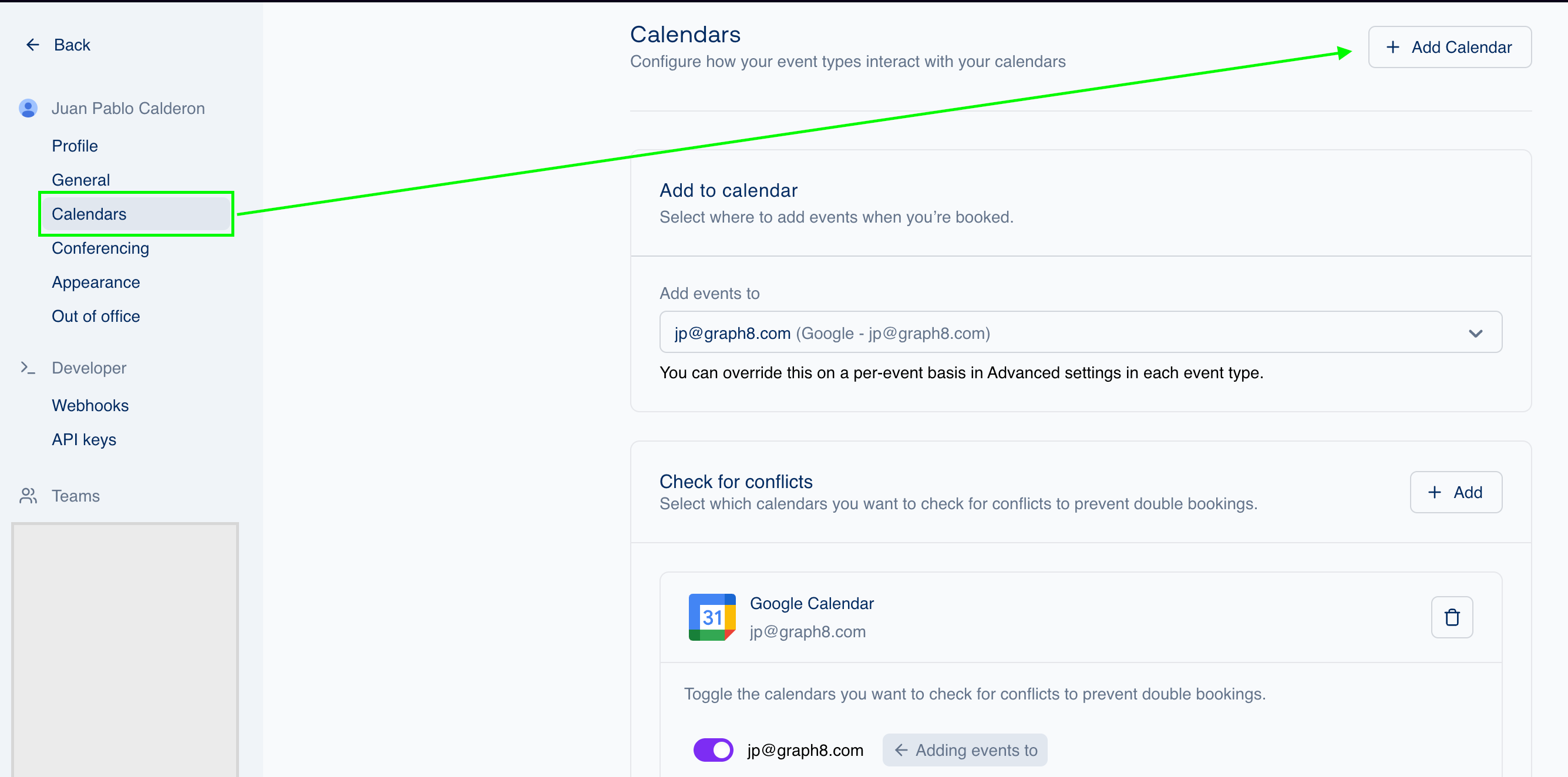
To connect your calendar, head over to the “Calendar” tab and select “+ Add Calendar”
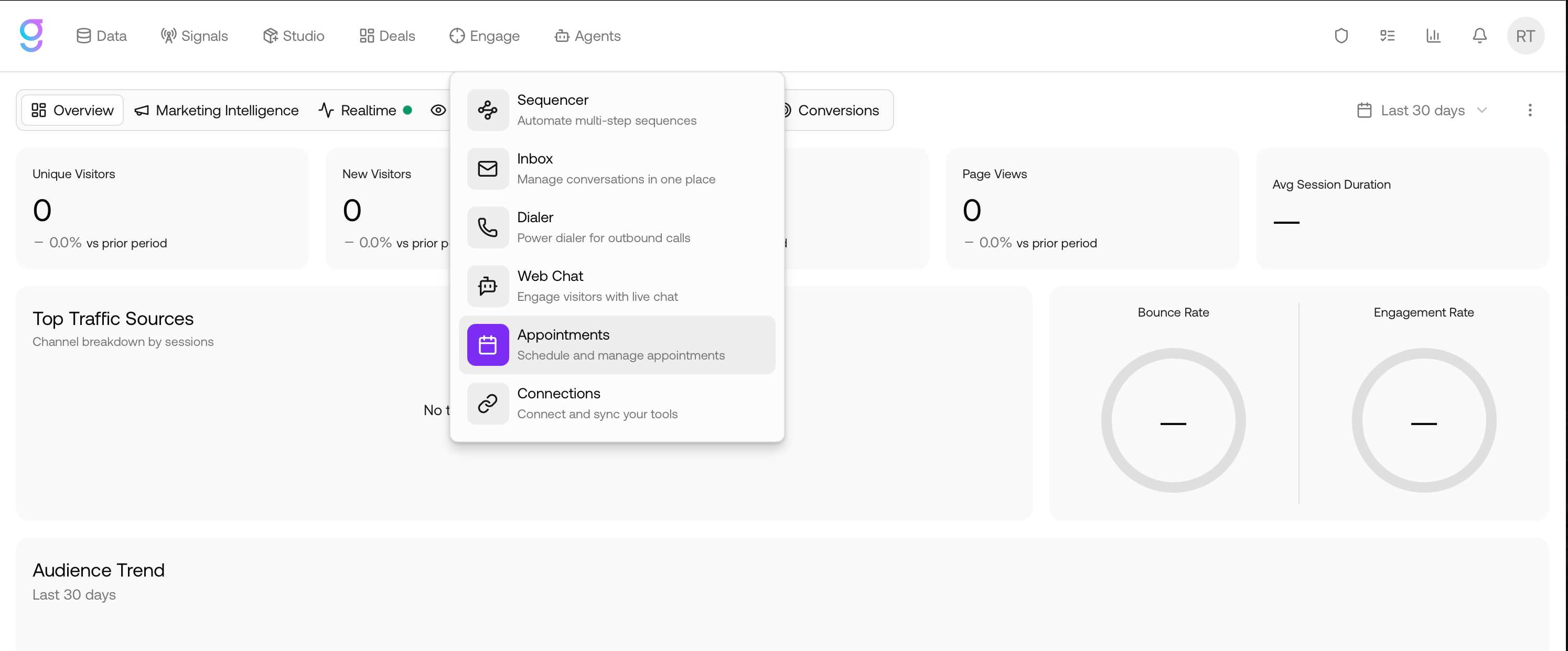
You will be directed to the App Store where you can select your preferred Calendar:
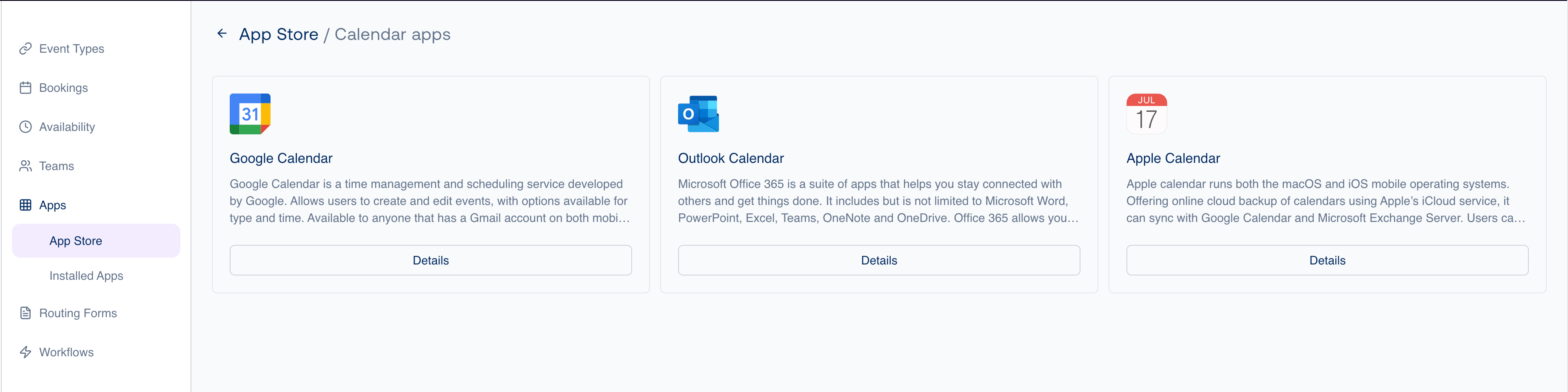
Follow the steps from your Calendar, allow permissions and your calendar will be connected.
Connecting your Conferencing tool to graph8 scheduler
Now that we have the calendar connected, let’s set up your conferencing tool. Head over to the “Conferencing” tab and select “+ Add”

You will once again be directed to the App Store where you can select your preferred Conferencing tool. You can add multiple conferencing tools and set up a default tool.
Create Event types
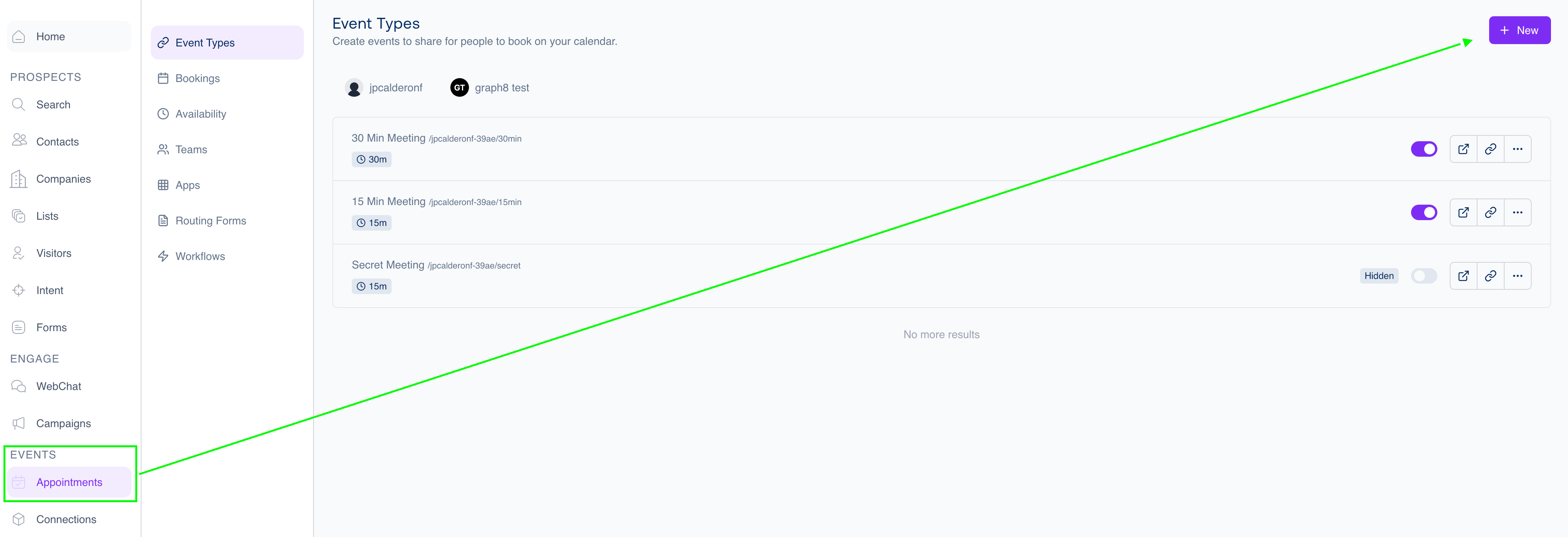
In graph8, you can create personal or team events. To start, head over to “Appointments” where you will land in “Event Types”. To create a new meeting type, select “+ New” and choose the profile/team you’d like to create the event for:
When creating a team event, there are 3 types of assignment rules:
Collective: Schedule meetings when all selected team members are available. Collective event types are ideal when the booker needs to book a meeting with several team members at one time. With graph8, you can easily create a team event type and select collective scheduling as the scheduling type. You can then pick exactly which team members should co-host this event type collectively.
Round Robin: Cycle meetings between multiple team members. Round robin event types allow you to distribute meetings amongst team members. At the moment, the distribution is based on availability, optimizing all options regardless of individual load. The booking will be assigned to an available host based on weights, priorities or the person least recently booked.
Managed Event: Create & distribute event types in bulk to team members. Team admins have the ability to manage event-types for their members, to facilitate creating common event-types for all members and managing them from one place.
A managed event-type comes with certain fields locked by the team admin, and certain fields open to be modified by the team members receiving the managed event.
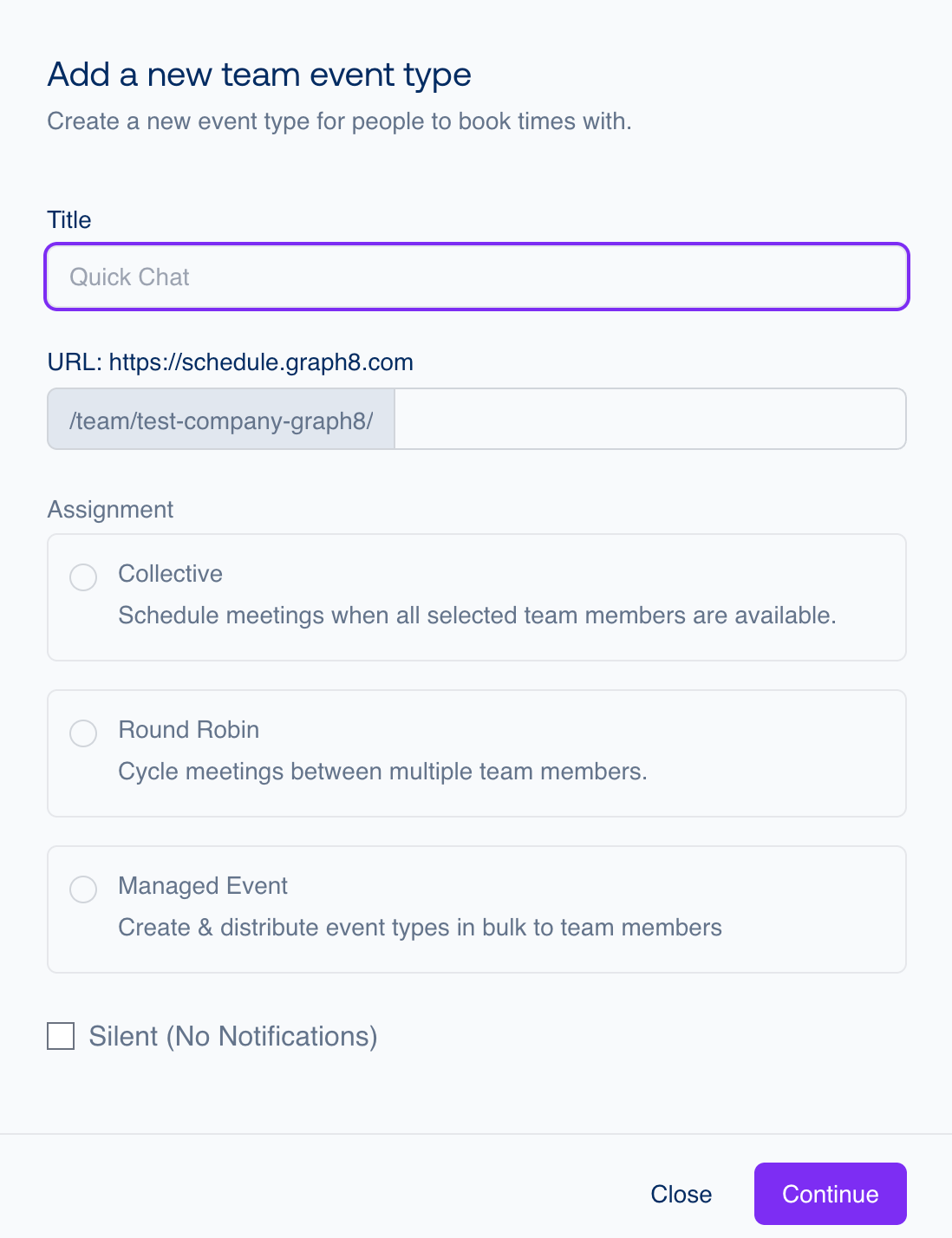
To continue with your event creation, input the event title, customize the URL of the event and select your assignment type.
When setting up your Collective or Round Robin Event, you can also select the distribution of events amongst members, this allows for optimising distribution for maximum availability or to aim for a more balanced assignment. You can also include fixed hosts in both types of events who are individuals who are consistently present at every meeting.
Round-Robin Hosts are members of a group who take turns attending meetings. Rather than everyone in this group attending every meeting, only one person from the group will attend each time.
For tasks like scheduling sales calls or product demos, where you have a pool of people among whom you’d like to distribute meetings, round robin is the perfect choice.
Collective Events
graph8 evaluates availability on the basis of each member’s availability by default. However, you also have an option to put forward a common schedule for this specific event type which will be used as the availability and over-ride each member’s availability for this event type. When you need a group of team members to attend the same meeting, collective events are fantastic. Seeking a convenient time for all of your team members to attend the meeting is a breeze with this method.
Round Robin Events
The round robin events when not using a common schedule offer slots which are formed using the union of all slots available for each round robin host. Once an available slot is chosen by the scheduler, the underlying mechanism of host assignment kicks in. The mechanism has a couple of options:
Priority Ranking
Every round-robin host has a priority, by default ‘medium’. The priority level assigned to a host directly influences their likelihood of being selected for bookings. A higher priority signals a stronger preference, positioning them as a more desirable option for hosting duties. This system ensures that hosts with higher designated priorities are given precedence in the booking process, optimizing the allocation of resources and streamlining event organization.
For instance, if John Doe & Jane Doe are both available in the same slot, but John has a priority High compared to Jane’s priority of Medium, John will be booked. If several users have the same priority it will choose the least recently booked user.
You have the option to select priority for each host and based on their priority (and availability in the selected slot), the hosts will be booked.
Weights
Weights are optional and must be enabled to use. They allow you to determine how meetings should be distributed among hosts. When enabled, every host has a default weight of 100%. This means each host should end up with the same number of bookings by default. However, hosts with fewer availabilities can still end up with fewer bookings. Only confirmed bookings count towards past bookings.
For instance, Jane Doe has a weight of 100% and already has 8 bookings while John Doe has a weight of 200% and already has 12 bookings. Assuming both of them are available, the next bookings would go to John Doe until a total of 16 bookings is reached.
Weight Adjustment: If new hosts are added to a round-robin event type that has weights enabled, their weights will be adjusted accordingly. New hosts will have their bookings adjusted proportionally to their weight, taking into account the bookings that existing hosts already have. This ensures a fair distribution of bookings when new hosts are added.
Least Recently Booked
This is the fallback method where the available round robin host who was booked least recently is chosen. If more than one host meets this criteria, one of them is chosen at random.