Visitors
Overview
Website Visitor Tracking shows you which companies, and which named prospects are browsing your site in real time. Graph8’s endpoint‐side script fingerprints each session, enriches it with our firmographic database, and displays the data in two immediately‑actionable grids: People and Companies.
Why it matters:
Real buyer intent – Sessions come from your own domains, so the signal quality is far higher than third‑party intent feeds.
Instant sales access – No hand‑offs to Marketing Ops. The moment a visit is enriched it appears in your queue.
Precision filtering – Slice activity by page path, funnel stage, industry, employee range, or any custom attribute you’ve synced.
Contact de‑anonymisation – If a known prospect clicks an email or opts into a form, we merge that session to the contact record and expose the person‑level visit (see “People” tab).
Note
Visitor tracking is currently limited to US‑based IP addresses while we finalise GDPR and Canadian PIPEDA workflows. We’ll update this article when additional regions are certified.
Set up Website Visitor Tracking
During the Magical Onboarding, you’ll receive a single JavaScript snippet that covers tracking, forms, and web‑chat. Paste it once, preferably just before the closing </head> tag on every template and you’re done.
Open your CMS or tag‑manager.
Insert the snippet.
Publish.
Need a step‑by‑step? → Installing the JS Snippet
Navigating the Visitor View
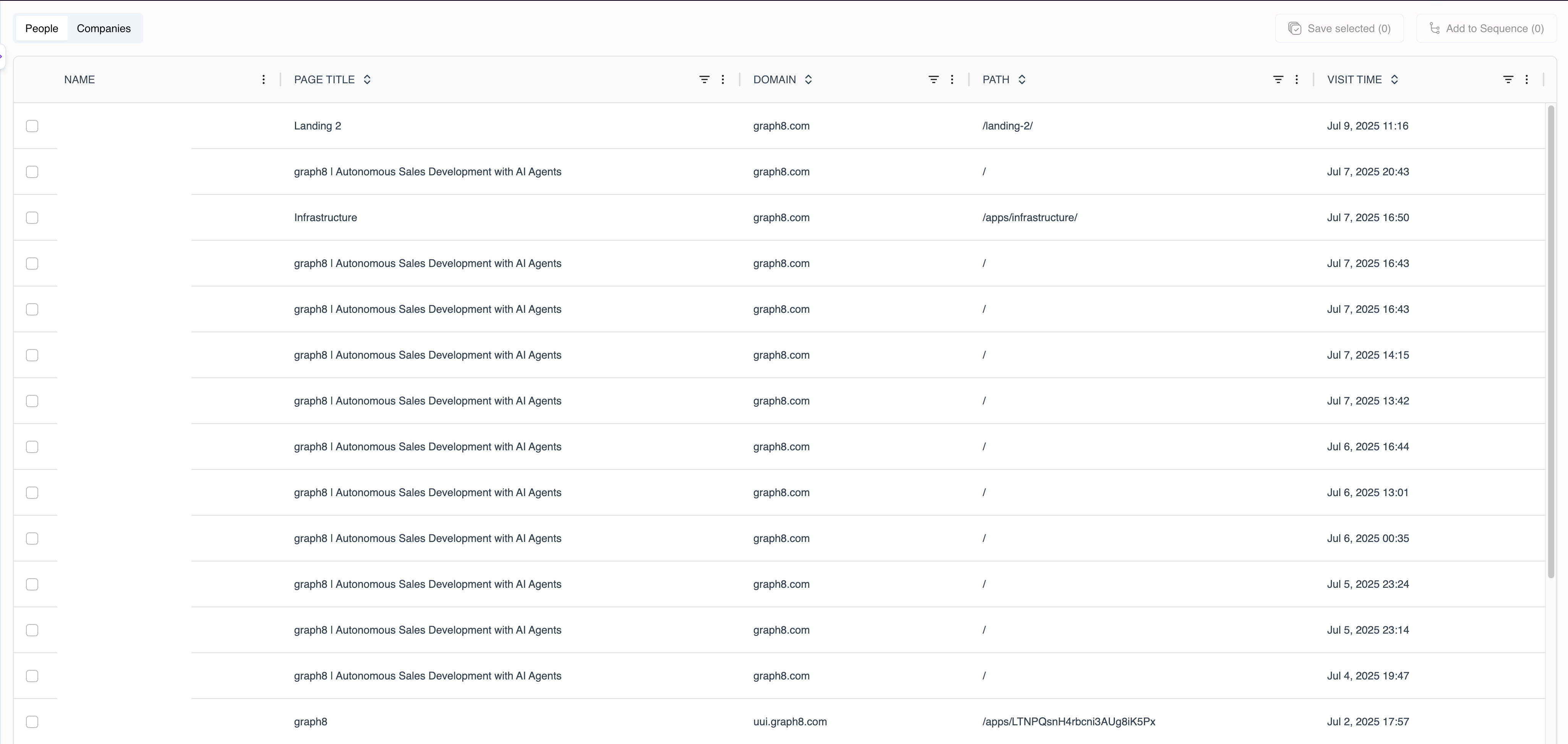
Tabs
People – Named contacts, sortable by Last Visit, Total Views, and Page Title.
Companies – Anonymous sessions aggregated by firmographic key.
Columns (both tabs)
Leveraging First‑Party Intent
Website visitor tracking provides valuable intelligence on companies and individuals engaging with your domains. This data becomes a powerful asset in your prospecting toolkit, enabling you to:
Prioritise hot accounts – Sort Companies by Last Visit to bubble the freshest sessions to the top.
Automate workflows – Use Visited URL contains as a trigger in Workflow Builder to fire alerts, score boosts, or Slack nudges.
Qualify in real time – Sales Ops teams often spend days enriching traffic logs. Graph8 does it in seconds, eliminating that delay.
Map buying committees – When multiple contacts from the same domain appear in People, create an Account View and roll up activity.
Industry data confirms that first‑party intent outperforms third‑party panels by 3–5× on reply rates. HubSpot and Clearbit publish similar findings—albeit via cookies and reverse‑IP respectively.
Monitoring Visitors Day‑to‑Day
Open Website Visitors in the left navigation.
Toggle between People and Companies depending on your outreach strategy.
Hover a row to reveal quick actions:
Save to List – Adds the record(s) to any static or dynamic list.
Add to Sequence – Drops the selected contact(s) straight into an outbound sequence.
Adding Visitors to a Sequence
Prerequisite: You’ll need at least one email sequence built in Sequences, but don’t worry, graph8 has already built a sequence for you during Magical Onboarding.
Select the checkbox next to one or more records in People.
Click Add to Sequence in the upper‑right toolbar.
Choose the sequence.
Click Save.